Table des matières
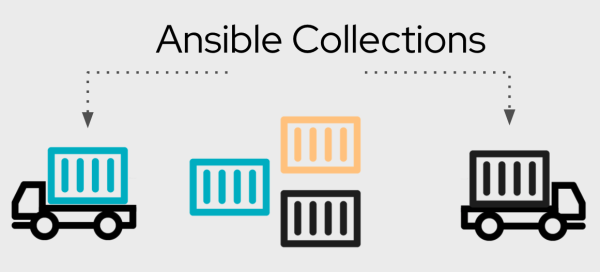
Ansible Collections
Introduit avec la version 2.8 d’Ansible, les collections permettent de répondre à la problématique de distribution des contenus Ansible. En effet les collections vont permettre d’installer en une seule opération modules, rôles et même playbook Ansible.
Note:
Rappel : depuis la version 3.0 ansible est distribué différemment. En effet, il est composé de plusieurs packages python dont ansible-base. Ansible-base embarque les programmes de base d’Ansible que sont ansible-playbook, ansible-galaxy, ansible-doc,… et quelques modules et de la documentation.
Le reste des modules et plugins ont été déplacés dans diverses “collections” dont la plus utilisé est la “community.general”.
Pour s’y retrouver dans les collections il faut se rendre sur cette page.
Utilisation des collections
Les collections sont un format de distribution pour le contenu Ansible qui peut inclure des playbooks, des rôles, des modules et des plugins. Au fur et à mesure que les modules passent du référentiel Ansible de base aux collections, la documentation du module est déplacée vers les pages des collections.
Vous pouvez installer et utiliser les collections via Ansible Galaxy.
Installation par défaut
Nous allons installer Ansible via le gestionnaire de package Pypi. En recherchant dans ce dernier, on trouve bien la dernière version en date de rédaction de cette documentation à savoir la version 4.3.0.
On installe classiquement Ansible avec pip :
$ pip3 install ansible==4.3.0
Collecting ansible==4.3.0
  Downloading ansible-4.3.0.tar.gz (35.1 MB)
     |████████████████████████████████| 35.1 MB 12.7 MB/s
Collecting ansible-core<2.12,>=2.11.3
  Downloading ansible-core-2.11.3.tar.gz (6.8 MB)
     |████████████████████████████████| 6.8 MB 6.8 MB/s
Requirement already satisfied: PyYAML in /usr/lib/python3/dist-packages (from ansible-core<2.12,>=2.11.3->ansible==4.3.0) (5.3.1)
Requirement already satisfied: cryptography in /usr/lib/python3/dist-packages (from ansible-core<2.12,>=2.11.3->ansible==4.3.0) (2.8)
Requirement already satisfied: jinja2 in /usr/lib/python3/dist-packages (from ansible-core<2.12,>=2.11.3->ansible==4.3.0) (2.10.1)
Collecting packaging
  Downloading packaging-21.0-py3-none-any.whl (40 kB)
     |████████████████████████████████| 40 kB 10.2 MB/s
Collecting resolvelib<0.6.0,>=0.5.3
  Downloading resolvelib-0.5.4-py2.py3-none-any.whl (12 kB)
Collecting pyparsing>=2.0.2
  Downloading pyparsing-2.4.7-py2.py3-none-any.whl (67 kB)
     |████████████████████████████████| 67 kB 11.5 MB/s
Building wheels for collected packages: ansible, ansible-core
  Building wheel for ansible (setup.py) ... done
  Created wheel for ansible: filename=ansible-4.3.0-py3-none-any.whl size=57843244 sha256=eab8245781f8513becdd6bcc7e5ef0f47ea1897b35f91ec9abc24ec5ea9b364f
  Stored in directory: /home/esanteansible/.cache/pip/wheels/5e/11/0e/555422c973e2d388c8ea599ccac2116820c8cdfe3e639dcff1
  Building wheel for ansible-core (setup.py) ... done
  Created wheel for ansible-core: filename=ansible_core-2.11.3-py3-none-any.whl size=1955093 sha256=8121b9c3423f5dfa7ff0d987eaeb40670ab2e77065398b7eefee96db2c062951
  Stored in directory: /home/esanteansible/.cache/pip/wheels/ed/b9/f5/d582647a0dd03283f688808d476bfbd39de23c957fc54428df
Successfully built ansible ansible-core
Installing collected packages: pyparsing, packaging, resolvelib, ansible-core, ansible
Successfully installed ansible-4.3.0 ansible-core-2.11.3 packaging-21.0 pyparsing-2.4.7 resolvelib-0.5.4
On remarque bien la construction de deux packages : ansible-base et ansible. En plus de ces deux packages, l'installation de toutes les collections sera réalisées.
Nous pouvons le vérifier avec la commande : “ansible-galaxy”
$ ansible-galaxy collection list

# /home/esanteansible/.local/lib/python3.8/site-packages/ansible_collections
Collection                    Version
----------------------------- -------
amazon.aws                    1.5.0
ansible.netcommon             2.2.0
ansible.posix                 1.2.0
ansible.utils                 2.3.0
ansible.windows               1.7.0
arista.eos                    2.2.0
awx.awx                       19.2.2
azure.azcollection            1.7.0
check_point.mgmt              2.0.0
chocolatey.chocolatey         1.1.0
cisco.aci                     2.0.0
cisco.asa                     2.0.2
cisco.intersight              1.0.15
cisco.ios                     2.3.0
cisco.iosxr                   2.3.0
cisco.meraki                  2.4.2
cisco.mso                     1.2.0
cisco.nso                     1.0.3
cisco.nxos                    2.4.0
cisco.ucs                     1.6.0
cloudscale_ch.cloud           2.2.0
community.aws                 1.5.0
community.azure               1.0.0
community.crypto              1.7.1
community.digitalocean        1.8.0
community.docker              1.8.0
community.fortios             1.0.0
community.general             3.4.0
community.google              1.0.0
community.grafana             1.2.1
community.hashi_vault         1.3.2
community.hrobot              1.1.1
community.kubernetes          1.2.1
community.kubevirt            1.0.0
community.libvirt             1.0.1
community.mongodb             1.2.1
community.mysql               2.1.0
community.network             3.0.0
community.okd                 1.1.2
community.postgresql          1.4.0
community.proxysql            1.0.0
community.rabbitmq            1.0.3
community.routeros            1.2.0
community.skydive             1.0.0
community.sops                1.1.0
community.vmware              1.12.0
community.windows             1.5.0
community.zabbix              1.4.0
containers.podman             1.6.1
cyberark.conjur               1.1.0
cyberark.pas                  1.0.7
dellemc.enterprise_sonic      1.1.0
dellemc.openmanage            3.5.0
dellemc.os10                  1.1.1
dellemc.os6                   1.0.7
dellemc.os9                   1.0.4
f5networks.f5_modules         1.10.1
fortinet.fortimanager         2.1.3
fortinet.fortios              2.1.2
frr.frr                       1.0.3
gluster.gluster               1.0.1
google.cloud                  1.0.2
hetzner.hcloud                1.4.4
hpe.nimble                    1.1.3
ibm.qradar                    1.0.3
infinidat.infinibox           1.2.4
inspur.sm                     1.2.0
junipernetworks.junos         2.3.0
kubernetes.core               1.2.1
mellanox.onyx                 1.0.0
netapp.aws                    21.6.0
netapp.azure                  21.8.1
netapp.cloudmanager           21.8.0
netapp.elementsw              21.6.1
netapp.ontap                  21.8.1
netapp.um_info                21.7.0
netapp_eseries.santricity     1.2.13
netbox.netbox                 3.1.1
ngine_io.cloudstack           2.1.0
ngine_io.exoscale             1.0.0
ngine_io.vultr                1.1.0
openstack.cloud               1.5.0
openvswitch.openvswitch       2.0.0
ovirt.ovirt                   1.5.3
purestorage.flasharray        1.9.0
purestorage.flashblade        1.6.0
sensu.sensu_go                1.11.1
servicenow.servicenow         1.0.6
splunk.es                     1.0.2
t_systems_mms.icinga_director 1.20.0
theforeman.foreman            2.1.2
vyos.vyos                     2.4.0
wti.remote                    1.0.1
Installation avancée
Install cli
L'installation qui va suivre nous permets une gestion plus fine des collections déployées dans notre environnements.
Nous installons uniquement le package : “ansible-base”.
$ pip3 install ansible-base==2.10.12
Processing ./.cache/pip/wheels/7c/61/3e/ebb11d5efc753f7df79ac49b1e0062164c022baa209505d193/ansible_base-2.10.12-py3-none-any.whl
Requirement already satisfied: PyYAML in /usr/lib/python3/dist-packages (from ansible-base==2.10.12) (5.3.1)
Requirement already satisfied: packaging in /usr/local/lib/python3.8/dist-packages (from ansible-base==2.10.12) (21.0)
Requirement already satisfied: cryptography in /usr/lib/python3/dist-packages (from ansible-base==2.10.12) (2.8)
Requirement already satisfied: jinja2 in /usr/lib/python3/dist-packages (from ansible-base==2.10.12) (2.10.1)
Requirement already satisfied: pyparsing>=2.0.2 in /usr/local/lib/python3.8/dist-packages (from packaging->ansible-base==2.10.12) (2.4.7)
Installing collected packages: ansible-base
Successfully installed ansible-base-2.10.12
Nous installons la collection “community.general”
$ ansible-galaxy collection install community.general
Starting galaxy collection install process
Process install dependency map
Starting collection install process
Nous vérifions les collections disponible sur notre environnement. Dans notre cas, nous remarquons que nous avons à notre disposition que la collection “community.general” contrairement à notre installation par défaut ou toutes les collections étaient disponibles.
$ ansible-galaxy collection list

# /home/esanteansible/.ansible/collections/ansible_collections
Collection        Version
----------------- -------
community.general 3.4.0
Install requirement.yml
L'installation via la ligne de commande parait simple et fonctionnelle pour une ou deux collections. Dans le cas ou ils nous est nécessaire de disposer de plusieurs collections, il est préférable d'utiliser un fichier “requirement.yml”
---

collections:
  - name : community.general
    version: 3.4.0
    source: https://galaxy.ansible.com
  - name : community.vmware
    version: 1.12.0
    source: https://galaxy.ansible.com
  - name : community.windows
    version: 1.5.0
    source: https://galaxy.ansible.com
Nous n'avons plus qu'à lancer la commande “ansible-galaxy” pour récupérer tout nos collections.
$ ansible-galaxy collection install --requirements-file requirement.yml
Starting galaxy collection install process
Process install dependency map
Starting collection install process
Skipping 'community.general' as it is already installed
Installing 'community.vmware:1.12.0' to '/home/esanteansible/.ansible/collections/ansible_collections/community/vmware'
Downloading https://galaxy.ansible.com/download/community-vmware-1.12.0.tar.gz to /home/esanteansible/.ansible/tmp/ansible-local-1794w0h9rb33/tmpxj3se4ep
community.vmware (1.12.0) was installed successfully
Installing 'community.windows:1.5.0' to '/home/esanteansible/.ansible/collections/ansible_collections/community/windows'
Downloading https://galaxy.ansible.com/download/community-windows-1.5.0.tar.gz to /home/esanteansible/.ansible/tmp/ansible-local-1794w0h9rb33/tmpxj3se4ep
community.windows (1.5.0) was installed successfully
Installing 'ansible.windows:1.7.0' to '/home/esanteansible/.ansible/collections/ansible_collections/ansible/windows'
Downloading https://galaxy.ansible.com/download/ansible-windows-1.7.0.tar.gz to /home/esanteansible/.ansible/tmp/ansible-local-1794w0h9rb33/tmpxj3se4ep
ansible.windows (1.7.0) was installed successfully
Nous pouvons vérifier l'état de nos colletions.
$ ansible-galaxy collection list

# /home/esanteansible/.ansible/collections/ansible_collections
Collection        Version
----------------- -------
ansible.windows   1.7.0
community.general 3.4.0
community.vmware  1.12.0
community.windows 1.5.0